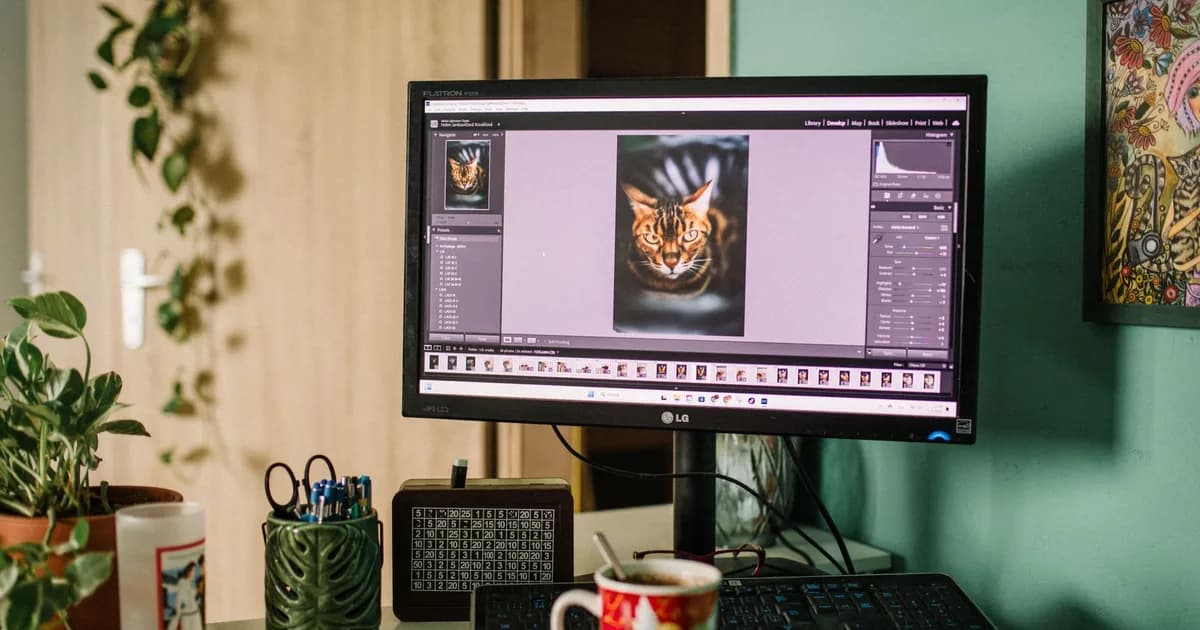
Large images slow down websites, bounce emails, and eat storage on your phone. Image compression shrinks file size while keeping visual quality acceptable for your use case. Here is how to do it right.
If you searched for "compress image" or "image compressor", this complete guide covers formulas, examples, privacy tips, and the fastest free online tools available in 2026.
Lossy vs lossless compression
Lossy compression (JPEG, WebP lossy) permanently discards some image data. File sizes drop dramatically; quality loss is often invisible at 80–90% quality. Lossless compression (PNG, WebP lossless) preserves every pixel — better for graphics and screenshots but larger files.
How much should you compress?
People search for "compress image" and "image compressor" millions of times every month — and for good reason. A reliable image compressor saves time, reduces errors, and removes the friction of desktop software. Image Compressor shrink images, keep quality.. Below are the most common real-world scenarios where a free online compress image delivers the most value in 2026.
- Students and professionals searching for a free compress image online without installing software or creating an account.
- Small business owners who need fast, accurate results for image compressor tasks during busy workdays.
- Content creators and marketers optimizing workflows around reduce image file size as part of a broader productivity stack.
- Remote teams sharing compress image links instead of emailing files back and forth across time zones.
- Anyone on mobile who needs instant image compressor results while commuting or traveling without laptop access.
- Web photos: 70–85% JPEG quality is usually sufficient
- E-commerce product images: 80–90% for sharp detail
- Thumbnails and previews: 60–75% is often fine
- Logos and UI graphics: use PNG or SVG instead of heavy JPEG
- Social media: platforms re-compress anyway — start at 85%
Resize before you compress
Getting started with Image Compressor on ToolBig takes less than a minute. Unlike desktop apps that require downloads, updates, and license keys, this compress image loads instantly in Chrome, Safari, Firefox, or Edge on Windows, macOS, Android, and iOS. Compress JPG and PNG images in your browser. Adjust quality with a slider and compare file sizes before downloading. Whether you are tackling image compressor for the first time or you use reduce image file size tools daily, the interface is designed for clarity: enter your input, review the output, and copy or download results immediately. No registration wall, no watermarks, and no hidden limits on basic usage.
A 4000×3000 pixel photo displayed at 800×600 on a website wastes bandwidth. Resize to the maximum display dimensions first, then compress. This single step often saves more bytes than aggressive quality reduction.
Choose the right format
- JPEG — photographs, complex images with many colors
- PNG — screenshots, logos, images needing transparency
- WebP — modern format; 25–35% smaller than JPEG at same quality
- AVIF — newest option; excellent compression, growing browser support
Compress images free with ToolBig
ToolBig's Image Compressor lets you adjust quality with a live preview and see exact file size savings before downloading. Processing happens in your browser — your photos never get uploaded. Pair it with the Image Resizer and format converters for a complete workflow.
Frequently asked questions about compress image
Answers to common questions about "compress image", "image compressor", and free image tools tools.
Is ToolBig's Image Compressor really free?
Yes. Image Compressor is completely free with no account required. There are no trial periods, credit card prompts, or feature paywalls for standard compress image usage. ToolBig is supported by advertising, which keeps every tool accessible to everyone.
Does the compress image work on mobile phones?
Absolutely. The Image Compressor is fully responsive and works on iPhone, Android, tablets, and desktops. Your image compressor results render in the browser — no app download needed.
Is my data safe when using an online compress image?
ToolBig's Image Compressor runs client-side in your browser whenever possible. Your inputs are not uploaded to our servers for processing. This makes it a safer choice for sensitive reduce image file size tasks compared to tools that require file uploads to unknown servers.
How accurate is this compress image compared to paid software?
Image Compressor uses standard image tools formulas and methods — the same foundations trusted by professional tools. For most image compressor use cases, results are identical to expensive desktop alternatives. Edge cases may require specialist software, but everyday tasks are fully covered.
What is the difference between compress image and image compressor?
"compress image" is the general task users search for; "image compressor" often describes a specific variation or related calculation. Image Compressor handles the core compress image workflow. For related tasks, explore the linked tools at the bottom of this guide — they complement Image Compressor without overlapping functionality.
Can I use Image Compressor for commercial projects?
Yes. There are no licensing restrictions on using ToolBig's compress image output for business documents, client work, school assignments, or published content. Always verify results independently for high-stakes reduce image file size decisions.
compress image: why choose a free online tool?
Understanding how compress image works helps you get better results. Image Compressor on ToolBig processes your input using established formulas and standards relevant to image tools — the same logic used by professional-grade software, but simplified for everyday users. When you search Google for "image compressor" or "reduce image file size", you will find dozens of options; the difference with a quality free tool is accuracy, speed, and privacy. Client-side processing means your data stays on your device: nothing is stored on ToolBig servers, logged for analytics, or shared with third parties. That matters when you are working with personal documents, financial figures, health data, or proprietary business content. For 2026, Google continues to reward helpful, in-depth content that matches search intent — so using the right compress image correctly is only half the battle; understanding when and why to use it separates beginners from power users.
High-traffic search terms like "compress image", "image compressor", and "reduce image file size" reflect real demand for accessible online utilities. ToolBig publishes free guides and tools together so you can learn best practices and apply them immediately. Bookmark this compress image guide and the live Image Compressor tool — together they cover the full workflow from understanding concepts to executing tasks in seconds.
ToolBig offers 60+ free online tools — bookmark this guide and explore related utilities linked below. Every tool runs in your browser with no sign-up, making compress image tasks faster and more private than ever.